What Is Ink Waste in Large Format Printing How to Reduce It?

Time:2026-10-16 Author:Sienna
0%

Large format printing creates more than finished graphics. Ink waste includes purge cycles, nozzle checks, color calibration, setup sheets, failed prints, and cartridges that expire before use. A vivid banner may leave a thin ribbon of ink in the maintenance station. That small loss becomes significant across hundreds of jobs.

Smithers’ market research, including The Future of Digital Printing to 2028, describes continued growth in digital and inkjet production. More output can mean more unused ink when workflows remain poorly controlled. The FESPA Print Census 2023 also shows that sustainability remains a serious business concern for print companies. However, the industry still lacks one universal benchmark for ink waste. Machines, ink systems, substrates, and operating habits differ widely. This makes vague claims unreliable.

Measurement must come first. Track ink consumed per square meter, purge volume, reprints, rejected sheets, and unused cartridge value. Record them by printer, operator, substrate, and job type. The data often reveals an uncomfortable pattern: a supposedly efficient printer may waste ink during frequent short runs. Reducing waste is not simply a software purchase. It involves maintenance discipline, accurate color management, operator training, and better scheduling.

This guide examines What Is Ink Waste in Large Format Printing and explains How to reduce ink waste in large format printing. It connects manufacturer guidance with practical shop-floor experience. Some recommendations will deliver immediate savings. Others need testing, because a setting that works on vinyl may fail on fabric. That uncertainty matters. Reliable improvement comes from controlled trials, documented results, and honest review.
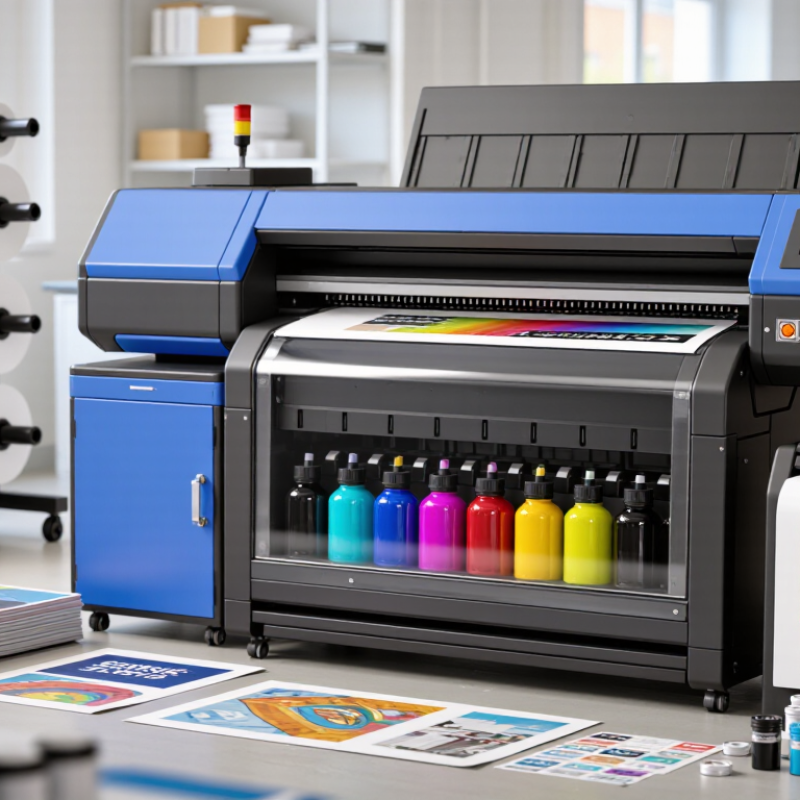
What Is Ink Waste in Large Format Printing How to Reduce It?

What Is Ink Waste in Large Format Printing?

Ink waste in large-format printing is any ink purchased but not transferred to a usable final image. It includes ink consumed during nozzle checks, cleaning cycles, calibration, setup sheets, failed prints, and discarded cartridges or tanks. Some waste remains hidden inside maintenance lines or collecting containers. A printer may appear efficient while quietly using ink between jobs.

In daily production, waste often begins with small decisions. An operator may run a full test sheet for a narrow banner, leaving most of the sheet unused. Poor file preparation can create banding, color shifts, or excessive passes, forcing a reprint. Ink can also be wasted when nozzles dry during long idle periods. It happens gradually. The real amount should be measured from ink records, discarded media, cleaning cycles, and rejected output, not guessed from the final invoice.

Waste reduction starts with accurate job setup. Preview the artwork, nest multiple pieces together, and select a suitable resolution and pass count. Use routine nozzle checks instead of automatic deep cleaning whenever print quality allows. Keep the print area clean and maintain stable temperature and humidity, because unstable conditions can increase defects. Record ink use by job and compare it with printed square meters. This process is not perfect. Some maintenance ink is necessary, and chasing zero waste may create costly downtime. The useful goal is controlled waste, supported by records and regular review.

What Causes Ink Waste During Large Format Printing?

Ink waste in large format printing often begins before the first image is produced. Dried nozzles can create missing lines, so operators run repeated cleaning cycles. Each cycle consumes ink without adding a saleable print. I have seen a small nozzle issue become a large waste problem after several careless cleanings.

Incorrect color profiles are another common cause. They may force excessive ink coverage, especially in dark areas and skin tones. Low-quality media can absorb ink unevenly, causing bleeding, banding, or dull colors. Operators may then reprint the entire sheet. That response feels safe, but it is not always efficient. Sometimes only a small section needs correction.

Tips: Check nozzles before important jobs, but avoid automatic cleaning without inspection. Use the correct media profile and test a small section first. Keep the print room stable, because heat and humidity can affect drying and ink absorption. Review failed prints weekly. Look for repeated causes, such as wrong file settings, poor alignment, or rushed maintenance. A simple waste log can reveal patterns that memory misses. Calibration also matters. A machine may appear accurate while gradually drifting. Record ink usage, cleaning frequency, and reprints. These details support practical decisions and more reliable production.

What Is Ink Waste in Large Format Printing, What Causes It, and How to Reduce It?
Ink-Waste Source What Happens Typical Waste Pattern Operational Impact Practical Reduction Method
Printhead Cleaning and Maintenance Ink is flushed through the printhead and ink lines to remove dried ink, air bubbles, or sediment. Waste increases when cleaning cycles are frequent, automatic, or performed at a higher intensity than necessary. Consumes ink without adding sellable output and fills maintenance tanks faster. Use scheduled preventive maintenance, follow the equipment manufacturer’s cleaning sequence, and avoid unnecessary repeated cleanings.
Nozzle Clogging and Poor Nozzle Performance Partially blocked nozzles create banding, missing dots, or uneven density, which may require additional cleaning or reprints. Waste is usually concentrated in failed test prints, cleaning cycles, and rejected production sheets or rolls. Raises ink use and material consumption while reducing printer uptime. Keep the printer within its recommended temperature and humidity range, inspect nozzle checks, and maintain regular operation.
Incorrect Color Profiles or RIP Settings Excessive total ink coverage, an unsuitable media profile, or incorrect linearization causes more ink to be deposited than the media can efficiently absorb. Over-inking may appear as slow drying, color shifts, bronzing, bleeding, or dark detail loss. Increases drying time, smearing risk, reprints, and ink consumption per square meter. Use a media-specific ICC profile, set an appropriate total ink limit, and verify linearization and color calibration.
Color Matching and Reprints Prints may be rejected because of inaccurate color, density variation, banding, registration errors, or customer approval changes. Waste varies by job complexity and is often higher for brand-color matching, proofing, and multi-panel graphics. Duplicates ink, media, labor, and finishing costs for the same deliverable. Perform a small proof or color target check before full production and use standardized approval procedures.
Job Setup, Registration, and Alignment Errors Incorrect media loading, skewed rolls, trimming mistakes, or inaccurate panel positioning can make an otherwise good print unusable. Waste is commonly generated at the beginning of a job or during multi-panel and double-sided work. Causes start-up waste and may require complete panels or sections to be reprinted. Confirm media direction, margins, artwork size, nesting, and alignment before starting the production run.
Idle Periods and Dried Ink When a printer remains unused, ink can dry at the nozzle plate or in exposed parts of the ink path. Waste is more likely after extended shutdowns, especially in dry environments or when maintenance procedures are skipped. May trigger additional cleaning, nozzle recovery, and test-print cycles. Follow the recommended standby or shutdown procedure and keep the print environment stable.
Ink Expiration, Contamination, or Poor Storage Ink may become unsuitable because of expired shelf life, temperature extremes, contamination, or inadequate agitation where required. Unused ink can become unusable before it reaches the printer. Creates direct material loss and may cause print-quality defects or system blockage. Apply first-in, first-out inventory control, record opening dates, store ink as specified, and keep containers sealed.
Low-Yield Print Layouts Large gaps between graphics, inefficient nesting, or unnecessary test strips increase the printed area without increasing saleable output. Waste is proportional to unused space and the number of setup strips or color bars used. Increases ink and media consumption per finished item. Use automatic nesting, optimize margins, group compatible jobs, and limit test patterns to the amount required for quality control.
Absorbent or Incompatible Media Some media absorbs ink unevenly or requires more ink to achieve the desired visual density. Symptoms include feathering, mottling, excessive dot gain, slow drying, and inconsistent color. Can lead to higher ink limits, longer drying times, and more rejected prints. Choose media validated for the ink technology and use the correct media preset or profile.
Incorrect Print Mode or Resolution High-ink modes, multiple passes, or unnecessarily high resolution may deposit more ink than required for the viewing distance and application. Ink use rises when production settings are selected for maximum quality even when standard quality is sufficient. Increases production time and ink consumption without a proportional improvement in the final result. Match pass count, resolution, and ink density to the application, viewing distance, and required quality level.
Ink Spills, Leaks, and Handling Losses Ink is lost during cartridge replacement, bulk-system filling, waste-line maintenance, or from damaged seals and connections. Usually intermittent, but individual incidents can produce a significant amount of unusable ink. Creates material loss, cleanup work, and possible damage to printer components. Inspect connections, replace worn seals, use careful transfer procedures, and train operators in safe ink handling.
Poor Production Monitoring Without tracking, excessive cleaning, reprints, and abnormal ink usage may continue unnoticed. Waste accumulates gradually across many jobs rather than appearing as one obvious loss. Makes it difficult to identify the true cost per square meter or per finished product. Record ink usage, maintenance events, reprints, and rejected output; review the data by printer, media type, and job category.
Key measurement: Track ink waste as a percentage of total ink issued, ink used per square meter of finished output, and the number of reprints caused by quality or setup problems. Actual results depend on printer technology, media, ink type, image coverage, maintenance practice, and production settings.

How Is Ink Waste Measured and Evaluated?

Ink waste in large format printing is not measured by empty cartridges alone. A reliable audit tracks every gram of ink entering the printer and compares it with ink deposited on the media. The difference includes purging, nozzle checks, cleaning cycles, setup sheets, color adjustments, and leftover ink in delivery lines.

A practical method starts with weighing cartridges or ink tanks before and after a job. Record the media area, printed image area, job duration, and maintenance actions. Printer logs can provide consumption data, but they may combine productive ink with service ink. For a closer estimate, measure three to five similar jobs and calculate the average ink use per square meter. The basic formula is: waste ratio equals non-printing ink divided by total ink consumed. Keep the records by material type and print mode.

The numbers need careful interpretation. A dense image may use more ink without producing more waste. A long idle period can trigger extra maintenance. Humidity, nozzle condition, and operator settings also influence results. Some waste is hidden. Weighing methods can include scale errors, and software estimates are not always precise. I have found that repeated measurements are more useful than one impressive figure. Compare normal production with a controlled test, then question unusual spikes. A 12% waste rate may signal a real process issue, or simply an incomplete maintenance record.

What Problems Does Excess Ink Waste Create?

In large format printing, excess ink waste is more than an accounting problem. It often appears as purge liquid, test strips, rejected panels, and ink left in lines after a job. A busy shop may see a vivid pattern: a nearly full waste container beside unusable prints. This waste raises material costs immediately. It also exposes process weaknesses, such as poor nozzle checks, incorrect color profiles, or rushed setup. Small errors accumulate.

Excess ink can create uneven color, slow drying, and surface marking. On vinyl, heavy coverage may remain tacky when workers begin trimming. On paper, saturated areas can curl or wrinkle. These defects cause reprints, consume more media, and delay installation schedules. They may also weaken customer confidence when matched panels look slightly different. The financial loss is not limited to ink; labor, electricity, substrate, and shipping are affected.

Waste also creates a handling concern. Used ink and cleaning fluid require controlled storage and disposal under local requirements. Poor records make this difficult. Measuring ink use per square meter, recording purge cycles, and checking rejected prints can reveal where waste begins. Yet measurement alone is not enough. Production teams may chase a lower ink figure and overlook banding or color drift. A better review balances waste, image quality, maintenance, and production time. It is an imperfect process. Honest tracking usually exposes the most expensive habits.

How Can Large Format Printers Reduce Ink Waste?

Large format printers can reduce ink waste by controlling the causes, not merely lowering ink flow. FESPA’s 2023 Print Census reported that 74% of print companies faced stronger sustainability demands from customers. This pressure reaches the production floor. Unused ink often comes from nozzle checks, automatic purges, color mismatches, test prints, and abandoned jobs.

Track waste for four weeks.

Record milliliters used during cleaning, failed prints, and setup. Then compare them with sellable output. A simple spreadsheet can reveal hidden losses. Keep printheads within the recommended temperature and humidity range. Stable conditions reduce blocked nozzles and repeated cleaning cycles. Calibrate media profiles carefully. A wrong profile may create muddy shadows, excessive saturation, and another discarded panel.

Workflow changes matter too. Use smaller test strips before printing a full sheet. Group jobs with similar media and color settings. Schedule maintenance before long production runs, rather than during urgent orders. Smithers’ report, The Future of Inkjet Printing to 2028, highlights automation and variable-data production as major efficiency drivers. In practice, automation helps only when its cleaning settings match real production needs. Factory defaults can be wasteful.

Review purge frequency every month. Do not assume “more cleaning” means better reliability. Sometimes it only hides poor storage or incorrect settings. A 5% reduction in avoidable test prints can save substantial ink across a busy year, but each site should verify its own baseline. Worker experience still matters. The operator who notices a faint band first may prevent an entire roll from becoming waste.

FAQS

What counts as ink waste in large-format printing?

Ink waste is purchased ink that does not become part of a usable final image. It includes nozzle checks, cleaning cycles, calibration, setup sheets, failed prints, and discarded ink containers. Some ink remains hidden in maintenance lines.

Why can a printer waste ink between jobs?

Idle nozzles may dry and trigger maintenance routines. The printer can purge ink even when no customer job is running. It happens quietly.

How should ink waste be measured?

Track incoming ink, printed area, maintenance actions, rejected output, and discarded media. Weigh cartridges or tanks before and after comparable jobs. Empty containers alone do not show total waste.

What formula can estimate the waste ratio?

Divide non-printing ink by total ink consumed. Measure several similar jobs and calculate the average per square meter. One measurement can mislead.

Which production details affect ink waste?

Humidity, temperature, nozzle condition, resolution, pass count, and file preparation all matter. Poor settings can cause banding, color shifts, excessive passes, and reprints. Small errors accumulate.

How can operators reduce unnecessary ink use?

Preview files before printing and nest several pieces on one sheet. Choose a suitable resolution and pass count. Use routine nozzle checks when print quality allows. Avoid automatic deep cleaning every time.

What problems can excessive ink create?

Heavy coverage may dry slowly or remain tacky during trimming. Paper can curl, wrinkle, or show surface marks. Rejected panels consume extra ink, media, labor, and electricity.

Is zero ink waste a practical goal?

Not always. Some maintenance ink protects print quality and prevents costly downtime. A lower waste figure may hide banding or color drift. Controlled waste is more realistic.

Conclusion

Ink waste in large format printing refers to ink that is consumed without becoming part of the finished, usable image. It can result from nozzle cleaning, test prints, calibration, misalignment, over-application, color errors, and discarded or damaged materials. Ink waste can be evaluated by comparing the amount of ink supplied with the ink estimated to be used in completed jobs, while also tracking maintenance cycles, failed prints, and unused media. Excessive waste increases production costs, extends job times, and creates additional disposal and environmental challenges.

To reduce ink waste in large format printing, operators should maintain printheads regularly, calibrate equipment carefully, and select suitable ink limits for each media type. Accurate color management, proper file preparation, and thorough preflight checks can prevent unnecessary reprints. Producing small proofs before full runs, monitoring ink consumption by job, and training staff to identify problems early can further improve efficiency. A consistent maintenance and review process helps reduce waste while maintaining reliable image quality and productivity.

Sienna

Sienna

Sienna is a skilled marketing professional with a deep expertise in our company’s core products and services. With a passion for innovation and detail, she plays a pivotal role in crafting insightful blog posts that not only highlight the unique features of our offerings but also provide valuable......