Ceramic tile printers are valuable tools in the industry. However, many users face a common issue: clogging. Renowned expert Dr. Sarah Thompson, a leading figure in printing technology, stated, "Clogs can occur for various reasons, including ink quality and maintenance practices." This insight opens a deeper understanding of the challenges faced in ceramic tile printing.
It's essential to explore the question, "Why is my ceramic tile printer clogging so often?" Clogging can stem from inadequate cleaning routines or low-quality inks that do not flow smoothly. Users often overlook minor maintenance steps, impacting printer performance significantly.
In many cases, the source of the problem is not apparent. Printers may seem to function well at first but gradually develop issues. Understanding the nuances of your machine can make a difference. Regular checks and preventive measures can help reduce clogs. However, many still struggle with persistent issues. Addressing these concerns requires both diligence and a willingness to adapt.
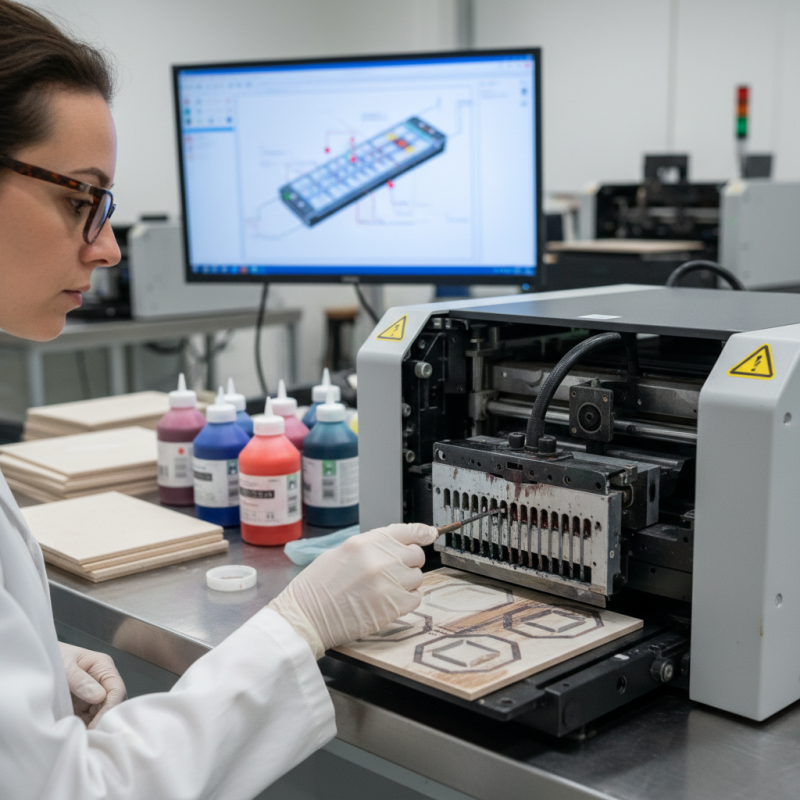
Causes of Clogging in Ceramic Tile Printers
Clogging in ceramic tile printers can disrupt your workflow. Understanding the causes is crucial for maintaining efficiency. One common culprit is ink consistency. Viscous inks can lead to blockage in the nozzles. If the ink is outdated or improperly stored, its properties change, making it more prone to clogs. Regularly check your ink for any signs of thickening or separation.
Another cause is the printer's environment. Dust and humidity affect the operation significantly. High humidity can cause ink to absorb moisture, leading to clogs. Likewise, dust accumulates over time and can obstruct crucial components. Ensure your workspace is clean and well-maintained to minimize such risks.
Printer maintenance is often overlooked. Clogged nozzles can also arise from irregular cleaning schedules. If you neglect regular maintenance for too long, the blockage can worsen. Implementing a consistent cleaning routine can alleviate many persistent clogging issues. It might feel tedious, but investing time in maintenance will pay off.
Impact of Ink Quality on Printhead Performance
Clogging in ceramic tile printers often stems from ink quality issues. Poor-quality inks can contain larger particles or impurities. These inconsistencies lead to frequent clogging of printheads. When particles obstruct ink flow, it disrupts the printing process. This quality gap can significantly affect performance and print outcomes.
Using premium ink is crucial. Additionally, maintaining a clean print environment can prevent issues. Regularly check for any debris or dried ink around printheads. If clogs persist, consider switching inks carefully. This may require testing multiple options to find ideal compatibility.
Tips: Invest in a good filtration system for your ink supply. This proactive measure filters out unwanted particles. Also, perform regular maintenance on your printer. Routine cleanings help keep the printheads functioning smoothly. Ignoring these practices may lead to more significant problems down the line.
Importance of Regular Maintenance and Cleaning Procedures
Regular maintenance of ceramic tile printers is crucial to prevent clogging issues. According to industry reports, nearly 30% of printing failures result from inadequate maintenance. This highlights the significance of routine cleaning. Accumulated residual materials can block nozzles, leading to inconsistent print quality. Regularly checking the printer’s components helps identify potential problems before they escalate.
Cleaning procedures should not be overlooked. A comprehensive maintenance schedule can minimize downtime significantly. Experts recommend cleaning the print head and ink lines weekly. This simple task can extend the printer's lifespan. Neglecting these steps often results in frustrations during production runs. Many operators underestimate how a few minutes of maintenance can save hours of repairs.
Furthermore, using the correct cleaning solutions contributes to better printer performance. Incompatible or harsh chemicals might damage sensitive components. It is essential to follow recommended practices for cleaning to protect the equipment. Continuous learning about effective maintenance strategies will enhance reliability. Those who fail to adapt might experience frequent clogs, hurting overall productivity.
Best Practices for Preventing Clogging Issues
Ceramic tile printers can face persistent
clogging issues, causing frustration for operators. To minimize these problems,
there are effective methods to implement. Regular maintenance is crucial.
Clean the printheads frequently
to prevent ink buildup. Use the right cleaning solution, and ensure the printer
is turned off during maintenance. This simple step can save time and keep your
printer running smoothly.
Another preventive measure involves
monitoring the ink quality.
Low-quality inks can lead to clogs. Check for any residue or inconsistencies before use.
Store inks in appropriate conditions to maintain their integrity. Additionally,
consider adjusting the viscosity of the ink. Too thick can cause blockages, while
too thin might affect print quality.
Lastly, be mindful of the environmental factors.
Humidity and temperature can greatly impact printer performance. Ensure your workspace
is well-ventilated and free from excessive moisture. Regularly check these conditions,
and adjust accordingly. Taking these precautions may not eliminate all clogs, but they
significantly reduce frequency. Reflection on these practices can lead to better outcomes
in the long run.
Troubleshooting Common Clogging Problems in Ceramic Tile Printers
Clogging is a common issue with ceramic tile printers. Understanding the causes can help you troubleshoot effectively. Contaminants in the ink or particles on the print head often lead to blockages. Also, using the wrong viscosity can create unnecessary pressure in the system. Regular maintenance is key to preventing these problems.
Tips: Clean your print head regularly. This ensures that any residue does not accumulate. Always check ink viscosity before use. Consider using filtered water for mixing inks. This can reduce impurities and enhance print quality.
Another cause of clogging may be ink settling in the cartridges. When there is no regular use, the pigment can separate and settle at the bottom. This can create clogs when you resume printing. Pay attention to your printing schedule and rotate your inks. It might seem tedious, but it’s necessary for consistent output.
Tips: Periodically shake your ink cartridges. This helps keep pigments evenly distributed. If you notice clogs, consider purging the system. A simple procedure like this can save time and frustration down the line. Always keep an eye on print quality; defects can signal bigger issues ahead.
FAQS
: Regular maintenance prevents clogging issues, which can cause printing failures. Nearly 30% of failures stem from inadequate upkeep.
Cleaning the print head and ink lines weekly is recommended. This helps extend the printer's lifespan and maintain print quality.
Neglecting cleaning can lead to frustrating production issues. Small steps now can save hours of repairs later.
Always use recommended cleaning solutions. Harsh or incompatible chemicals can damage sensitive printer components.
Humidity and temperature can impact performance. Ensure a well-ventilated workspace free from excessive moisture.
Monitor ink quality and viscosity. Low-quality ink or incorrect thickness can lead to clogs and inconsistencies in print.
Regularly clean the print head and check ink viscosity. Contaminants can cause blockages, leading to poor print quality.
Yes, periodically shaking ink cartridges helps keep pigments evenly distributed, preventing settling and clogs.
Watch for defects in print quality. These can signal underlying problems that need addressing right away.
Store inks in appropriate conditions to preserve their integrity. This helps reduce the risk of clogs when printing.
Conclusion
Ceramic tile printer clogging is a common issue that many users face, leading to concerns such as "Why is my ceramic tile printer clogging so often?" Several factors contribute to this problem, including the quality of the ink used, which can significantly affect printhead performance. Low-quality inks may contain particles that can clog nozzles, resulting in inconsistent printing.
Regular maintenance and proper cleaning procedures are crucial in preventing clogging. Implementing best practices, such as using high-quality ink and conducting routine inspections, can greatly reduce the risk of clogs. Additionally, troubleshooting common clogging issues, like air bubbles and dried ink, can help maintain optimal printer functionality. By addressing these areas, users can enhance their printing experience and minimize disruption caused by clogs.

 DD-Tech Print